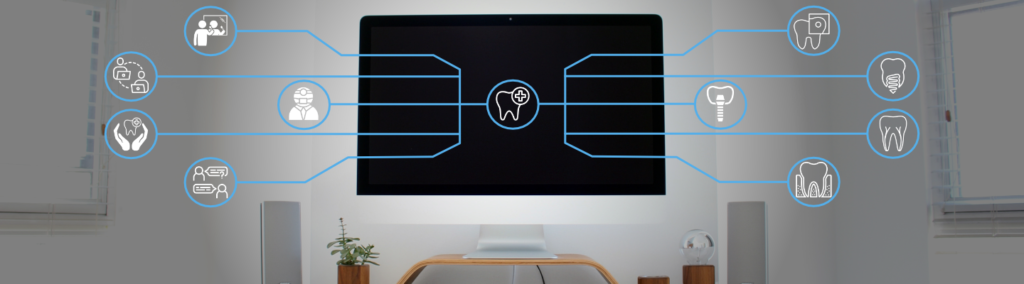
Overview
The TeleOralHealth instructional modules are four interactive digital resources for teaching and learning about TeleOralHealth. Created using an open-source e-learning authoring tool (Lumi Education), they are editable by educators in Ontario and beyond under the conditions of the Ontario Commons License. The modules work as a package or stand-alone; therefore, some content is repeated in each module.
About TeleOralHealth
TeleOralHealth delivers oral healthcare (in real-time or asynchronously) by a clinician or other professional to a patient at a distance. Three primary rationales for its use relate to a changing clinical landscape, focusing on patient-centred care, increasing access geographically and in turbulent contexts, and enabling flexible workflow and efficiency.
Given the changing landscape of oral healthcare practices, places, and environments, we must prepare our students for the future. While TeleOralHealth is a relatively new branch of TeleMedicine, given the increasing demand for alternative delivery of care models, TeleOralHealth is likely to become a commonplace practice for future oral healthcare providers.
My Role
Completing the e-learning authoring for the TeleOralHealth project was my primary task. The TeleOralHealth VLS Team previously identified modules and topics, created a style guide, recorded media, and created a draft module. We established a project management plan from this starting point, and I submitted the final deliverables on schedule.
Deliverables
- Interactive course presentation modules include slides, videos & closed captions, interactive self-checks, audio narration & audio transcripts, and references.
- Introduction to TeleOralHealth Module (H5P, HTML, SCORM)
- Principles of Oral Health Literacy Module (H5P, HTML, SCORM)
- Oral Hygiene Self-Care Education Module (H5P, HTML, SCORM)
- Conducting a Medical History Module (H5P, HTML, SCORM)
- Customized Quercus (Canvas LMS) Homepage (HTML)
- TeleOralHealth, Instructor Guide (Docx)
- Audio Transcript Documents (Docx)
- TeleOralHealth Modules and Guide package (imscc)
Problems to Solve
There were several knowns about the project when I joined the team. We knew the eCampusOntario Open Library would host the final product, and eCampusOntario H5P Studio would host the H5P files. However, there were a few outstanding problems:
- Provide transcripts for the audio narration,
- manage the video files and include closed captions,
- manage attributions and references given the modules could be reused in whole or part, and
- develop the modules in H5P.
Proposed Solution
Allowing users to engage with the modules required a few different solutions. Users can download the audio narration as MP3s and view transcripts with each module. Transcripts can also be downloaded and printed from Google Drive. Finally, users can also download the module as a PDF, although the interactive media loses its functionality this way.
Initially, the videos were included in the module. However, this resulted in huge file sizes and required too much bandwidth to stream. I proposed unlisted YouTube videos, which are ideal for streaming, work with the H5P interactive video type, and allow for closed captions.
Rather than providing final slides that included attributions of licensed content, and references used to create original content, I provided buttons that contain this information. If an adopter of these modules would like to use just one slide, all related information and metadata are carried forward with minimal effort.
Challenges
Completing the project on time (within just six weeks), on budget, and beyond expectations was the first and foremost challenge. Adopting a compressed critical path method, I provided weekly progress reports detailing work completed, deliverables’ status, issues, and planned activities for the following week. Identifying risks, I presented recommendations for resolving issues. Urgent issues or clarification were dealt with through just-in-time communication. I mitigated risk by adopting an agile approach to the development of the modules, continuing the work regardless of delays with any single element of content.
What I Learned
There are some particularities with how the elearning authoring tool for this project works concerning web accessibility. Still, by thinking about accessibility early on, we were able to do what we could with minimal revisions.
In addition, tight timelines can appear daunting at first, but with the right expertise and project management approaches, it is incredible what can be achieved in a short time.
Project Samples
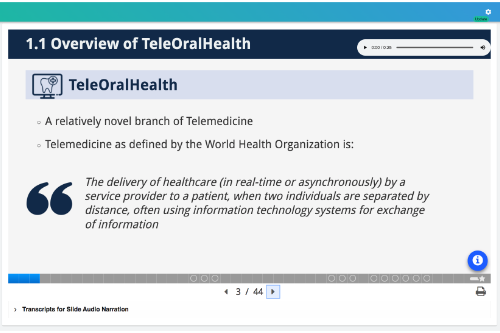
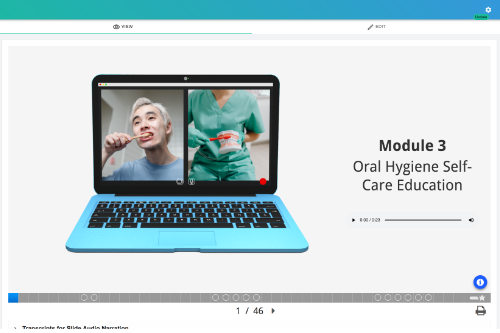

Image Attributions
TeleOralHealth, by JR Dingwall, is licensed under a Creative Commons BY 4.0 license and includes the following openly licensed works:
- Photo by Gabriel Beaudry on Unsplash
- Dental Care by tezar tantular from NounProject.com under a Creative Commons Attribution 3.0 US License.
- Care by Cuputo from NounProject.com under a Creative Commons Attribution 3.0 US License.
- Cavity by Made from NounProject.com under a Creative Commons Attribution 3.0 US License.
- Dental Surgery by Naif Ikkeri from NounProject.com under a Creative Commons Attribution 3.0 US License.
- Endodontics by Aytac Gul from NounProject.com under a Creative Commons Attribution 3.0 US License.
- Dental Implant by sahua d from NounProject.com under a Creative Commons Attribution 3.0 US License.
- Periodontics by WEBTECHOPS LLP from NounProject.com under a Creative Commons Attribution 3.0 US License.
- Communication by KP Arts from NounProject.com under a Creative Commons Attribution 3.0 US License.
- Dentist by Aneka Rosariana from NounProject.com under a Creative Commons Attribution 3.0 US License.
- Brushing Teeth by Gan Khoon Lay from NounProject.com under a Creative Commons Attribution 3.0 US License.
- Interview by DailyPM from NounProject.com under a Creative Commons Attribution 3.0 US License.
Oral Hygiene Self-Care Education, is comprised of:
- Original content by JR Dingwall,
- Laptop Image by Edgar Perez used under the Pixabay license
- Photo by Karolina Grabowska from Pexels
- Photo by Ron Lach from Pexels, and
- adaptations of the following icons:
- Camera by Ihsan Nugroho from NounProject.com under a Creative Commons Attribution 3.0 US License.
- Micro by Nicolas Morand from NounProject.com under a Creative Commons Attribution 3.0 US License.

Comments are closed.