Overview
This project began as a request to design course materials for INTS 112: Introduction to Peace Studies. A project scoping discussion revealed that the client was not interested in either a full course development or review. Through conversation and assessing the context and needs of the client, I identified and recommended a course template and facilitation guides for interactive Zoom sessions, a solution that the client enthusiastically accepted. I was the instructional designer for the project; all services provided and deliverables created were completed by me.
My Role
I employ a rapport-based approach to instructional design, establishing trust with my clients. In this case, my knowledge of higher education and personal experience as an educator provided a common language and shared values with the key stakeholder and subject matter expert. I am genuinely interested in many higher education disciplines and am not afraid to ask questions, also contributing to quickly establishing a rapport with my clients. While I utilize direct and focused project management techniques, I do not let that detract from the relational experience of working with an instructional designer.
The project began with a scoping meeting to determine the client’s needs. During this meeting, it was determined that the project would not be a full course design and development, but instead, given the budget and client needs, focused on facilitation guides for interactive Zoom sessions and a course template. Following the scoping meeting, a statement of work confirmed the project deliverables and stakeholders signed a memorandum of agreement.
I established meeting times and agendas during the project, using email to clarify outstanding questions between meetings. The statement of work detailed the key milestones and timeline for project completion. In the event of cancelled meetings, I communicated key tasks and questions via email to ensure the project did not stall. I fulfilled six key roles to ensure this project was completed on time, on budget, and beyond expectations:
- Instructional Design – I consulted with a Peace Studies expert to set strategies for various practical and effective synchronous class activities using Zoom. Then, I narrowed the selection down to five activities and authored each guide, validating the clarity of instructions for the audience with the client. Finally, I designed a framework for the Canvas template and authored instructional guides included.
- Project Management – I was the sole project manager, coordinating meetings, providing task updates and initiating invoicing.
- Copy Editing – I authored and edited the facilitator guides and the instructions included in the course template with some instructor-facing (e.g. how to use this template) and some student-facing content (e.g. how to use Canvas).
- Media/LMS Integration – course template components, including the facilitator guides and instructional video were integrated into the LMS (Canvas) for distribution and replication.
- Multimedia Development: Video Production – I created a custom tutorial video for instructors, including voice-over, and highlighted key details regarding the template. The video was embedded into the template itself and replicated in the copy process anytime it is used.
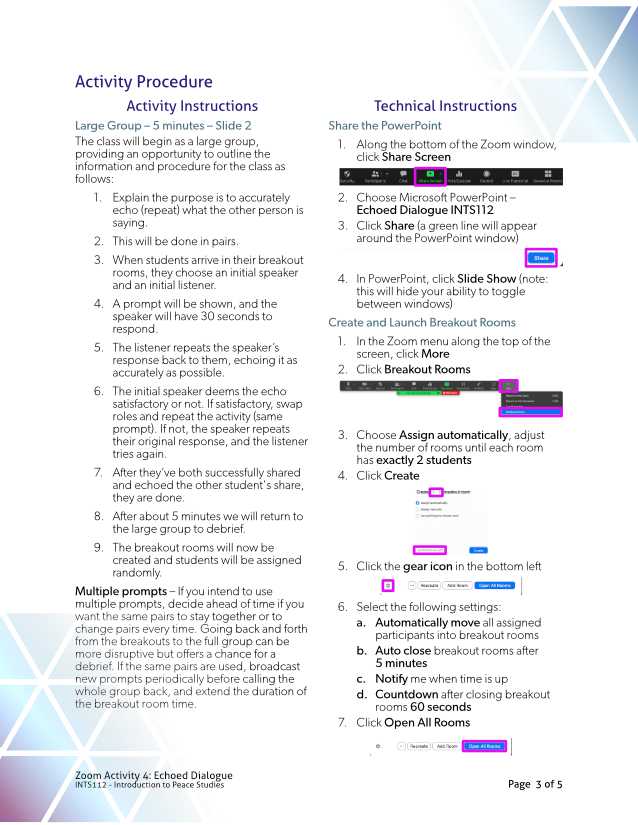
- Graphic Design – I created custom graphics for the cover pages and the general look and feel of the facilitator guides. Screen captures were included in the guides with key actions highlighted and aligned to text-based steps. The PDF format was used as instructors identified that they were likely to print the guides to eliminate the need to simultaneously juggle the document, PowerPoint, and Zoom on their computers during each session.
Deliverables
- Five Zoom facilitator guides for instructors of different interactive activities (PDFs)
- PowerPoint Templates aligned to each Zoom activity, including instructions about the activity and student tasks. (PPTx)
- Course Template (Canvas LMS)
- Overview video detailing the course template and “what’s inside”
Problems to Solve
STM offers several courses online in an asynchronous (no scheduled meeting times) format, and a small percentage of instructors facilitate these classes. A few of these online courses are popular with students for various reasons and continue to see higher enrollments year over year.
In the winter term of 2020, instructors at STM moved their face-to-face courses to emergency remote delivery online using tools such as Canvas, Panopto, and Zoom. For many instructors, teaching online in any format was a new experience. A common approach to emergency remote delivery was to host live Zoom class sessions instead of face-to-face sessions. Due to the level of experience with online teaching and the brevity of time to prepare (just a few days in March 2020), Zoom sessions typically consisted of lectures and PowerPoint presentations.
The shift to emergency remote delivery highlighted two needs for the Department of Peace Studies at STM. First, they see a need for more online class offerings not only for ease of transition should another emergency arise but also to increase flexible offerings for students, potentially increasing enrollments overall. The second was the interest from both instructors and students to participate in online courses that had synchronous components, adding another delivery mode to the existing models of face-to-face and asynchronous online courses. The problem to solve then was to support instructors in developing their online teaching to include more than lectures.
Proposed Solution
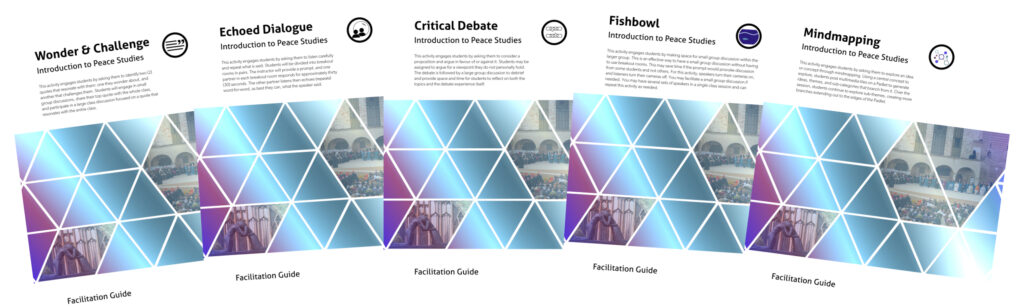
Five facilitator guides were identified that aligned with the discipline of Peace Studies and could be used for multiple topics addressed in the course. The formats included:
- Wonder and Challenge – an activity where students bring quotes from assigned readings to discuss
- Echoed Dialogue – an exercise from peace studies focused on active listening and communication
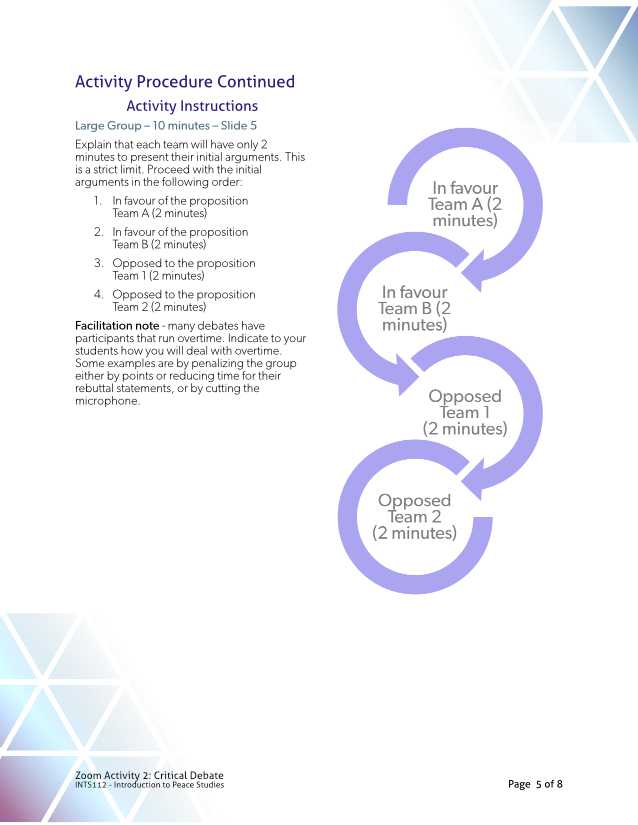
- Critical Debate – a structured activity where students argue for or against a proposition (an extension activity including class voting was also included)
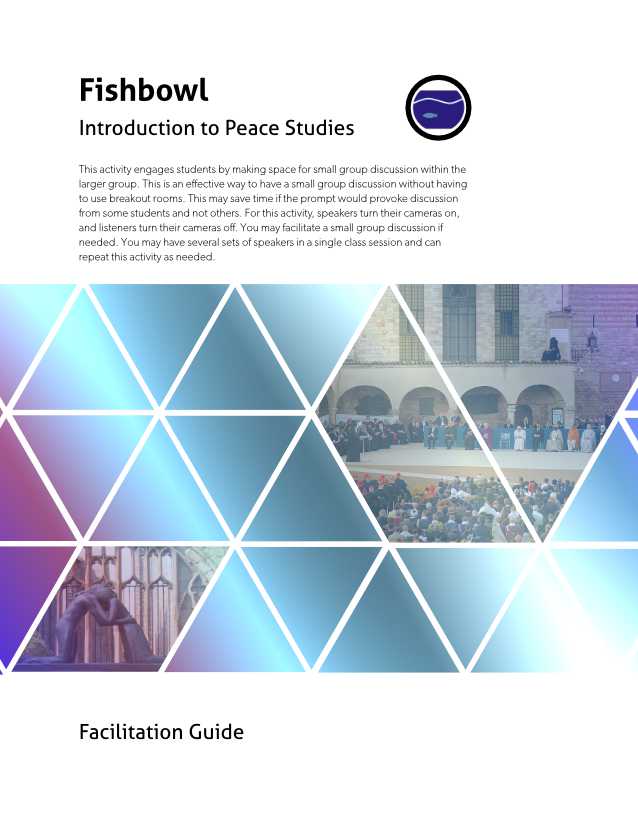
- Fishbowl – a method of providing space for small group discussion without the technical overhead of using breakout rooms
- Mind Mapping – an activity where students explore ideas through mind mapping, contributing ideas, and drawing on new and existing resources
Each guide included a summary of the session’s format, recommended course topics the activity aligns with, notes on preparation and resources required, and facilitation and technical walk-throughs. The summary on the cover page allows instructors to determine at a glance which activity might be suitable for their lesson. Consistent formatting between documents ensures instructors can move between guides and focus on their use rather than navigating the document and managing other tasks. Finally, the documents were designed to be print-based resources so instructors could use them without having to manage the document on their screen in addition to Zoom and PowerPoint.
Content authoring and review for the course were identified as out of scope for this project. However, preparing a templated Canvas shell provides consistency in course offerings. The Canvas template included a homepage and a hidden module for instructors. The module included an overview video detailing what was available in the course and the rationale behind the facilitation guides. The module also included the guides and associated PowerPoints.
Challenges
From the outset, the primary challenges were the timeline and budget for this project. The design and development of the facilitator guides required few and efficient revisions, if any, and left limited opportunity for user testing. I facilitated working meetings with the client to address these challenges focusing on decision-making. Beginning with an overview of the class syllabus, key topics were identified allowing me to provide a list of ten activity types that aligned with the teaching practices of the discipline. Following that, I guided the client to narrow the types to five. I developed a rapid prototype of one guide to determine details such as format, layout, style, etc. Once the client agreed on this format, the following four guides were easily constructed.
What I Learned
Overall the type of rapid prototyping followed by further development of project deliverables is standard to my approach, especially for tight timelines. I learned a bit about peace studies and the teaching and learning approaches to the discipline, such as echoed dialogue, which is one of my favourite aspects of this work. One area for future improvement concerns digital accessibility. The guides themselves were intended to be printed, and Affinity Publisher does not include digital accessibility features. If I were to do this project again, I may choose a different tool so that digitally accessible versions would be available, even if the final output is intended for print.
Project Samples

Comments are closed.