Tell me, where can I find the “silly bus”?
Not my 9x9x25 post this week, but I just read Syllabus Bloat by James Skidmore, and was about to comment when I thought, ‘hey, I can just blog a quick reflection and hopefully it’ll ping back’. Honestly, I’ve been frustrated with blog commenting systems for a while now. Some require login, some eat my comments, so here…I’m reclaiming commenting.
It’s like James wrote this post for me! Having designed distance learning courses for years, which have a strong history in correspondence/independent studies formats I have seen syllabi that creep into the 30 page area. Course description, outcomes, a schedule that includes every single reading, an evaluation area that details every little aspect of assignments (including rubrics!), a list of each module’s learning objectives etc. That may work with correspondence courses, because that’s how students get the information they need. But the number of times I hear instructors complain about students not reading the syllabus every September on Twitter when you see scores of instructors brag about shaming students and how “it’s in the syllabus” makes me shake my head. In any context it is hard enough to get people to read a couple of paragraphs of details or instructions (basically what a syllabus is) let alone 30 pages of it.
A colleague of mine once informed me that we had a student in an online course never really show up in the LMS. They received their syllabus and completed the entire course using that and emailing their assignments in – ok interesting idea for how to offer an online course, like how Dan Meyer did, but not the intended design this time!
With that in mind, last spring I decided to try something out. I used an example course I had worked on a previous term and stripped the syllabus all the way down. I included only the information that was required by university policy. Suddenly 10 pages became 2 pages (just one double sided sheet of paper). Assignment details? The go into the course material, and are in the same place that students submit their work. Reading lists? They go in the modules and are offered both as a list at the beginning of the module and in many cases sprinkled throughout the module in the order students are encouraged to tackle them.
I will admit the pendulum maybe swung too far in this particular design, but now we can refine it and hopefully avoid the bloat.
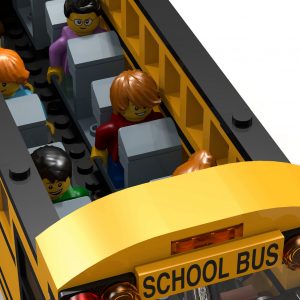
Passengers In Bus flickr photo by B_Space_Man shared under a Creative Commons (BY-ND 2.0) license
2 responses to “Quick Reflection – Syllabus Bloat”
With a two page syllabus, could you redesign as an infographic style document, where visuals and graphics add interest and meaning? I’ve seen a few of these, but have never tried one myself. Worth a tinker when we can collaborate on reducing syllabus bloat.
Helen
I think around the time I took the dive and tried to make the shortest syllabus I could, I saw a couple more visually oriented syllabi Twitter. I’ve seen some that go completely in the infographic direction, some that use visual design to make an attractive and functional document, and of course plain text. I lean personally towards the middle one. I still view it as a functional document and the ones I’ve seen that go full infographic look a bit kiddie (that’s a sample size of maybe 12 so maybe there are really great ones I haven’t come across yet). Creating and editing infographics is a bit trickier too, so I think for the context I’m usually in that something that can be easily edited in Word is the route to go.
In one work context I was in, we did introduce a syllabus that was very visual and had internal hyperlinking. We found that instructors were incredibly frustrated with it because it was tougher to edit than their previous syllabi, and the layout required more ‘jigging’ to make it work out. Not everyone had that experience, but I think it points to meeting people where they are.