I’ve been waiting a few days to investigate new H5P content types from OTacke’s Lab (Oliver Tacke). Recently he attended an OERcamp and revealed new content types. Thank goodness for Twitter’s translate tweet feature because my German is mostly rust by now.
So what is up first? We have a new content type called H5P.transcript. I think the first time I saw this model for transcripts was on Lynda.com. I really liked being able to view and browse the transcript of a video as an individual entity. Captions, whether open or closed, are great and, of course, increase accessibility to video content, but the transcript takes it to another level. You can load it in your media (similar to the video content type) and add the transcript file (Oliver goes into finer detail, see his blog!).
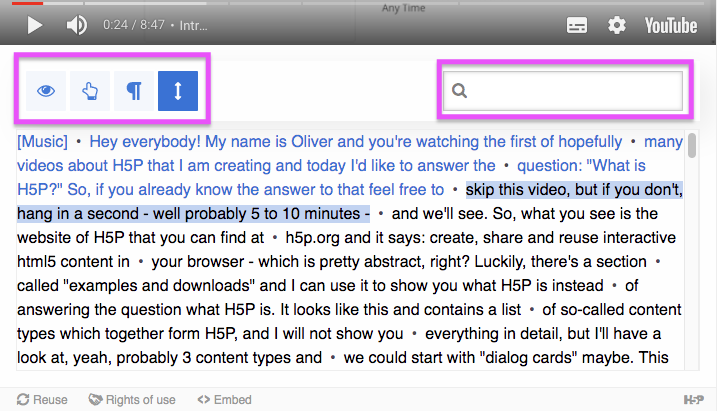
The button features here are nice user experience pieces, but what I might be most excited about is the search feature. That is one place where transcripts excel over similar solutions such as captions. Or rather, the different approach enables different use cases.
Oliver mentions that it can be used with Audio. I don’t have any audio and matching WebVTT files handy, but a recent project might have used this content type. For the TeleOralHealth modules, the audio narration was included on most slides and captions were included with the interactive videos. For that project, I did exactly what Oliver mentioned about making content as a column and including audio transcripts as an accordion. It worked, but I’m interested to get an opportunity to try out this new approach.
Anyway, if you haven’t read Oliver’s blog post about H5P Transcript yet, go check it out!